
Matilde Cascella Design Associates

MCDA Studio

See it in your room before you buy it

Design your room in 3D with the real pieces. Draw it or upload the plan, save furniture from any store, and see it photoreal before you buy.

Plans from $30 a month, or save 20% yearly. Cancel any time.

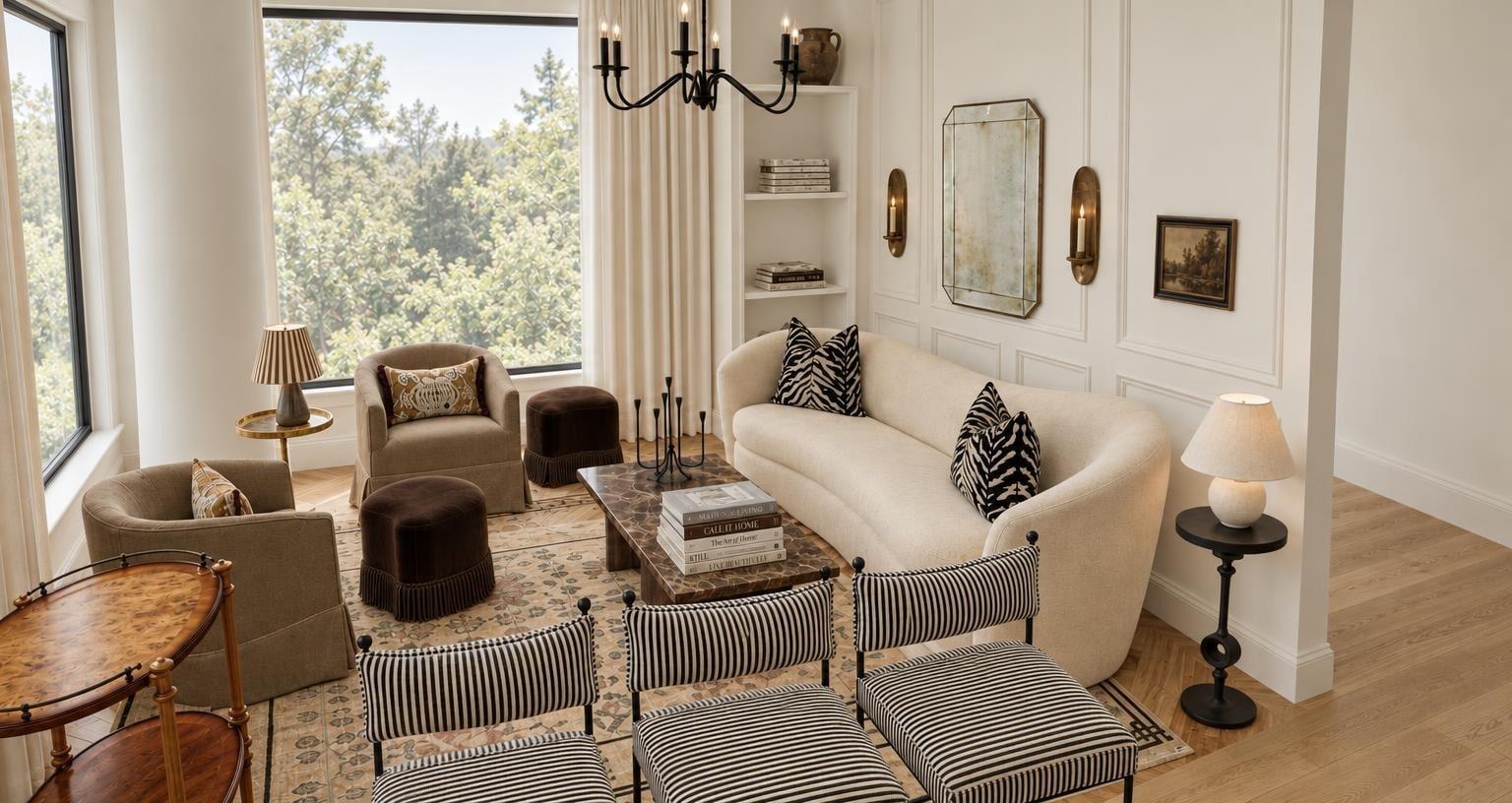
A living room rendered in the studio: a curved cream sofa with zebra-print pillows, a marble coffee table, two skirted armchairs, three striped chairs, brass sconces and tall windows onto trees
A real render from the studio

The film

From CB2 to your room, in one click

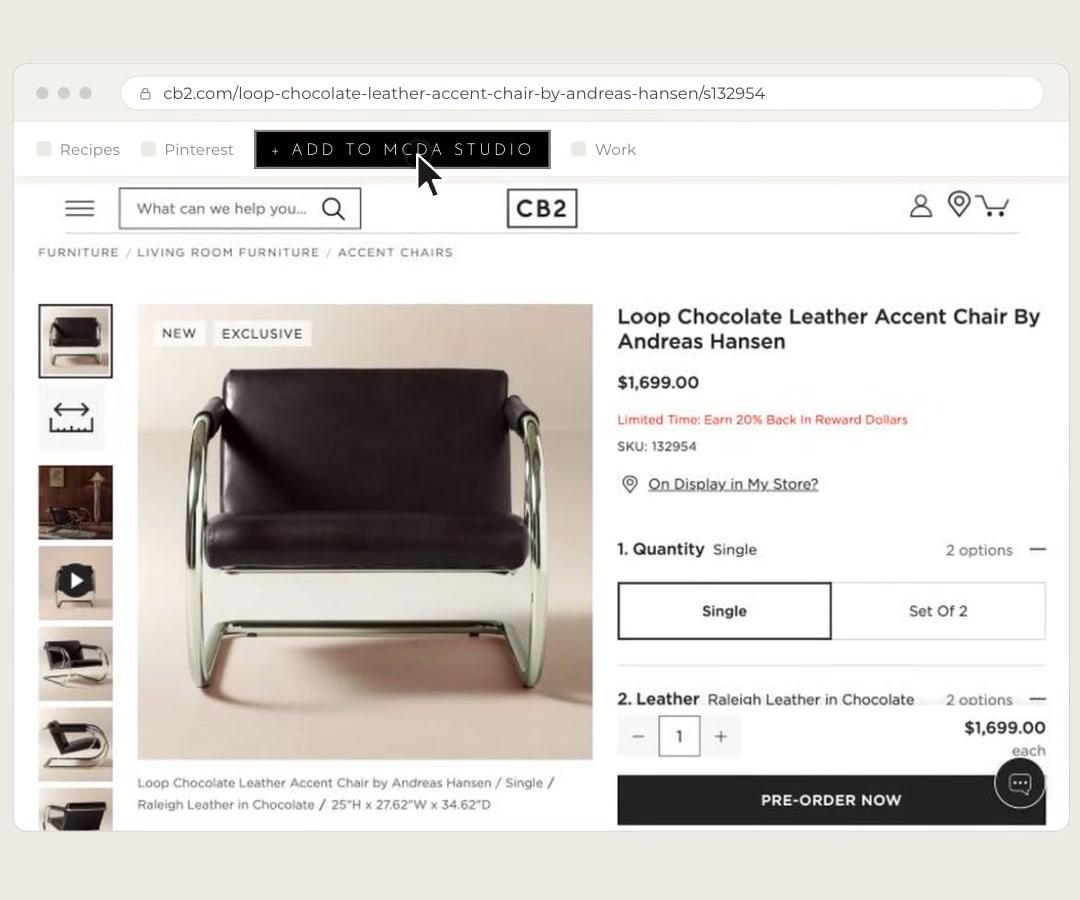
A chair found on CB2 is saved with the browser button, becomes a 3D piece and stands in the bedroom at the size CB2 gives.

0:18 · No sound

The 3D step is sped up in the film; making a 3D piece takes a few minutes.

How it works

From floor plan to shopping list, in five steps

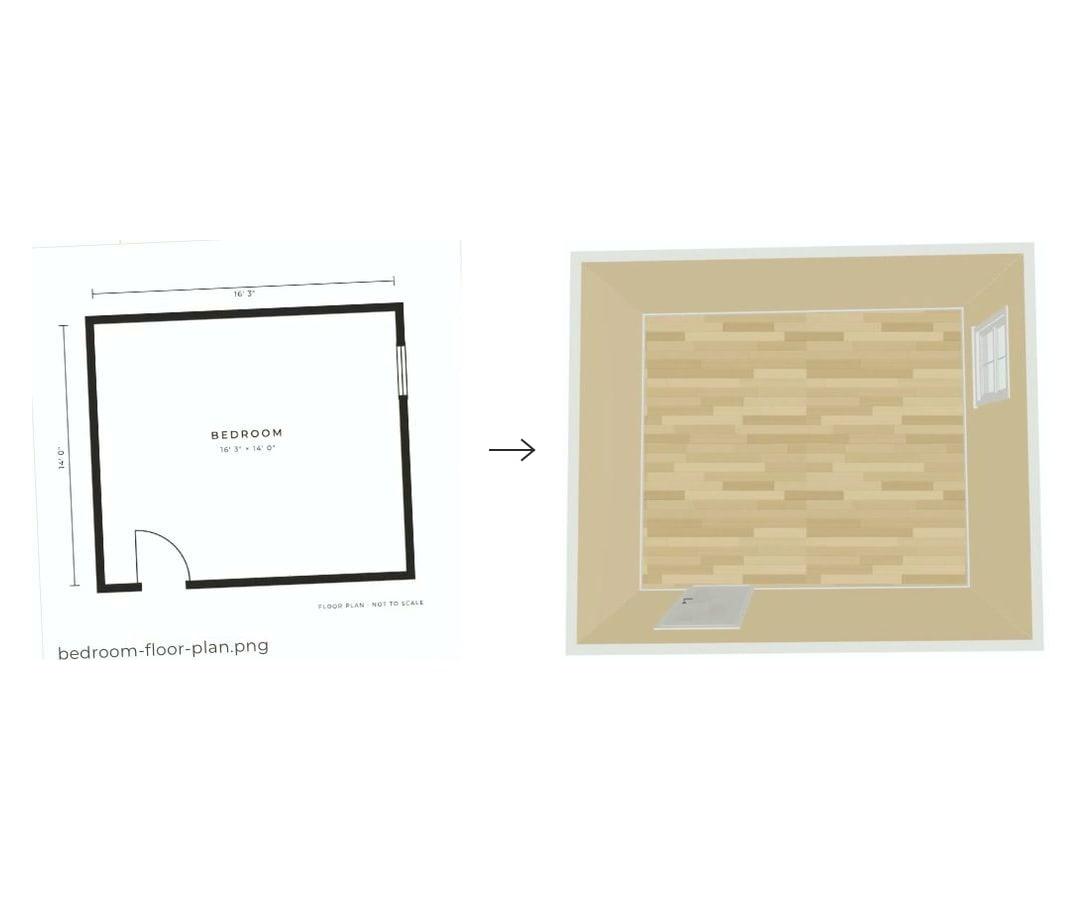
  1. A floor plan of a bedroom, 16 feet 3 by 14 feet with a door and a window, beside the same room built in the studio, seen from above
    A floor plan, and the room the studio builds from it

    Step 1 of 5

    Draw your room, or upload the plan

    Draw the walls, doors and windows to your own measurements, or upload a floor plan and the studio reads it into a room for you.

  2. A chair on cb2.com, with the Add to MCDA Studio button in the bookmarks bar being clicked
    The browser button on cb2.com

    Step 2 of 5

    Save pieces from any store

    Add the MCDA Studio button to your browser. On a product page, one click saves the piece to your studio with its name, price, size and photos. Or paste the link.

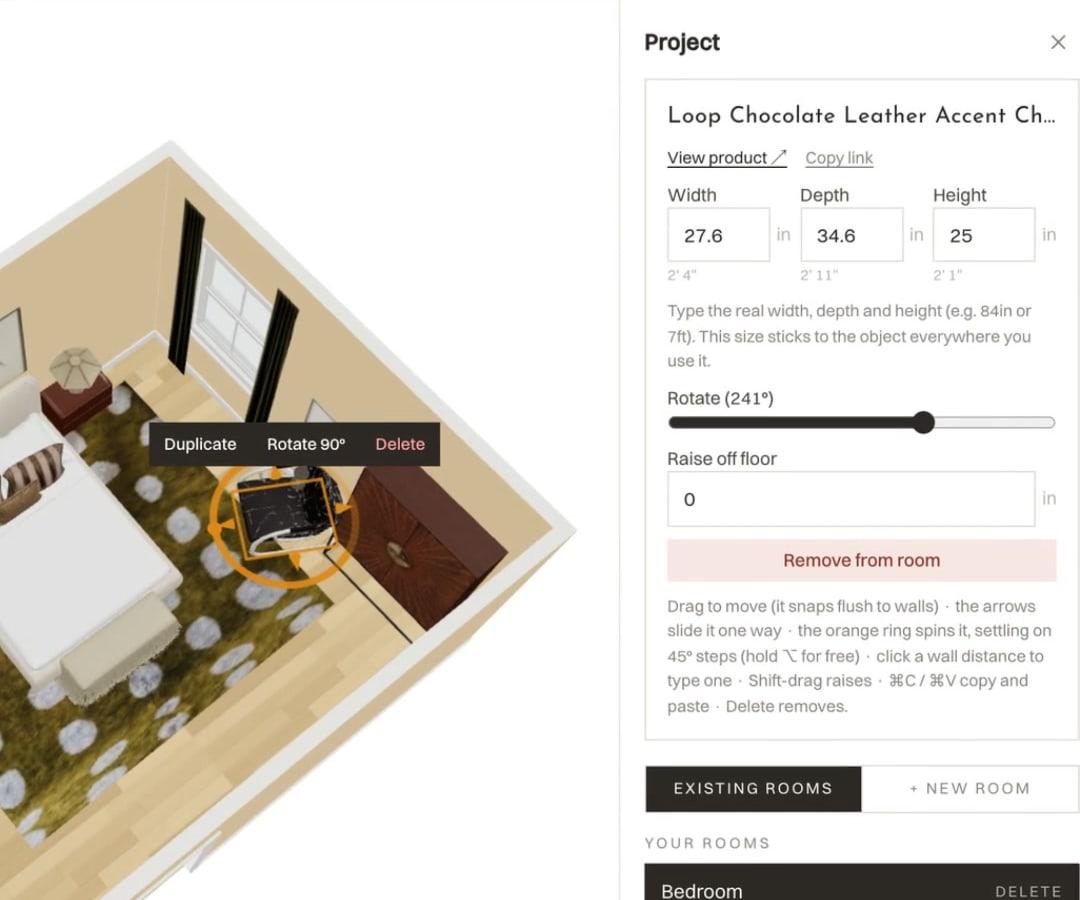
  3. The CB2 chair placed in the 3D bedroom, with its panel showing width 27.6, depth 34.6 and height 25 inches and a View product link
    The CB2 chair at 27.6 × 34.6 × 25 in

    Step 3 of 5

    Place it true to size, in 3D

    Each piece becomes a 3D object at its real width, depth and height, and keeps its link. Place it, turn it and try every layout before you buy.

  4. A photoreal render of the same bedroom: a cream bed with striped pillows, a fringed bench, a green rug with cream spots and a horse painting
    The same bedroom, rendered in the studio

    Step 4 of 5

    Render it photoreal

    When the layout feels right, render the room as a photoreal image with your pieces in it, and judge the color, the light and the scale together.

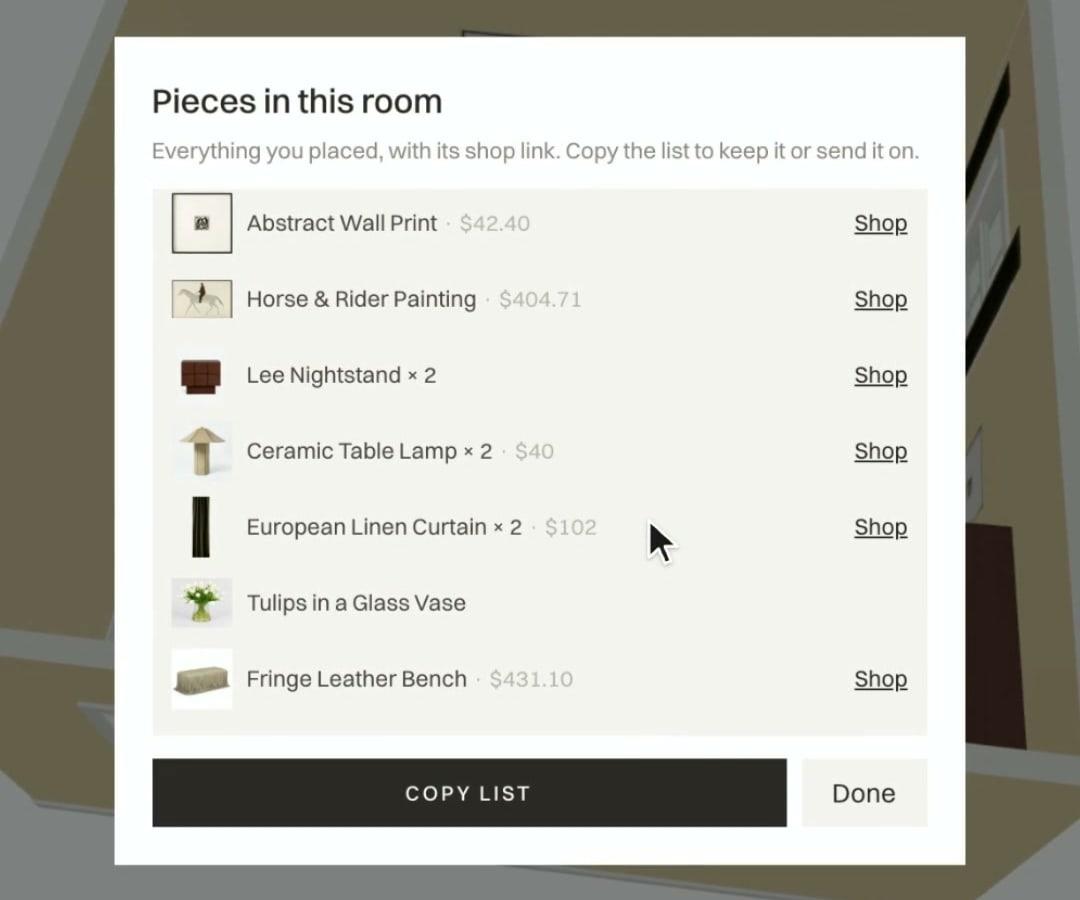
  5. The studio’s list of pieces in the room, each with a picture, a price and a Shop link, and a Copy list button
    Pieces in this room

    Step 5 of 5

    Shop the list

    Every piece in the room in one list, each with its price and a link to its store. Copy the list to keep it or send it on.